
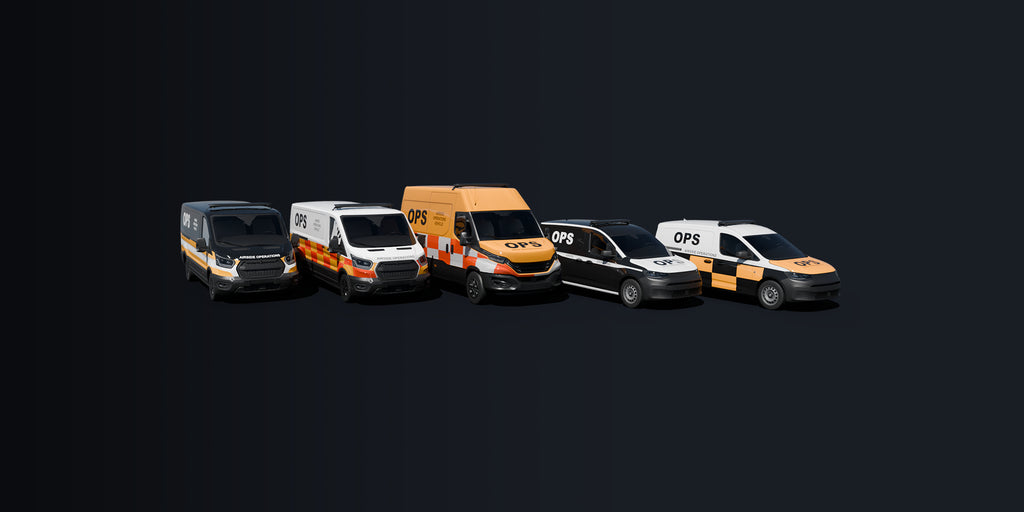

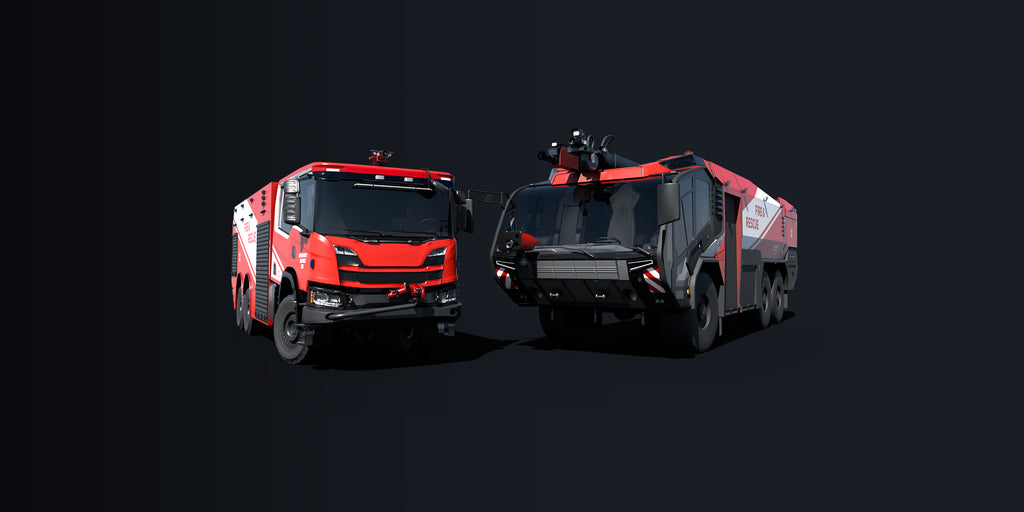


Replace generic traffic, auto-gen parking lot vehicles and special scenery vehicles with more than 40 unique models. Standard vehicles are replaced globally with European models; traffic vehicles are replaced within the European region (LivingWorld Region "A", "K", "L", "N", "O"). Click here for a region map.
Available since
2025-12-11
Supported Simulators
Microsoft Flight Simulator 2024
Version
v1.0.0
Supported Operating System
Windows
Installation Method
Contrail App
Download Size
480.1 MB
Installation Size
1.48 GB


4K Textures
The library uses high-resolution textures across all models, with an optional 2K version available through the Contrail App for those who want to reduce VRAM usage.


Superior Models
All models are accurately scaled and proportioned compared to default vehicles.


Correct LOD switching
Models do not cheat the LOD Limit System with fake large bounding boxes. This means correct LOD switching, preventing the rendering of higher-detail models for too long, which results in a significant performance boost.


European License Plates
All vehicles in Pyreegue Motorworks Europe come with region-accurate European license plates, giving airports and road traffic a more authentic local feel. Each model uses custom plate designs that match real-world formats
LODs
LOD (Level of Detail) controls how much detail the simulator shows for objects depending on how far away they are.
Pyreegue's MWR features 9 LODs for mass-instance traffic models and 6 LODs for HQ scenery vehicles with all models using an average of 40% fewer vertices than the allowed LOD limit.


The Library
Pyreegue’s MWR replaces the auto-generated parking-lot vehicles with over 40 unique, highly optimized models.
Below are some highlights. Please note that the cargo items are decorative only.


Comparisons
Take a look at how Pyreegue’s MWR compares to the default MSFS vehicles. Wherever an airport relies on the built-in library, MWR swaps those static models with its own.
Drag the slider left or right to compare the images.


Gallery


FAQs
Reviews
Reviews can be written and liked using the
Contrail App
Review by Enjon

of
v1.0.0
I've always appreciated the bespoke Pyreegue vehicles in his airports and to have this extended across countless airports and traffic is very welcome. As to be expected, beautiful models and texturing and the LOD modelling is very well executed.
Although I haven't checked this with dev mode FPS counter, in terms of subjective performance, I haven't noticed any performance deterioration.